

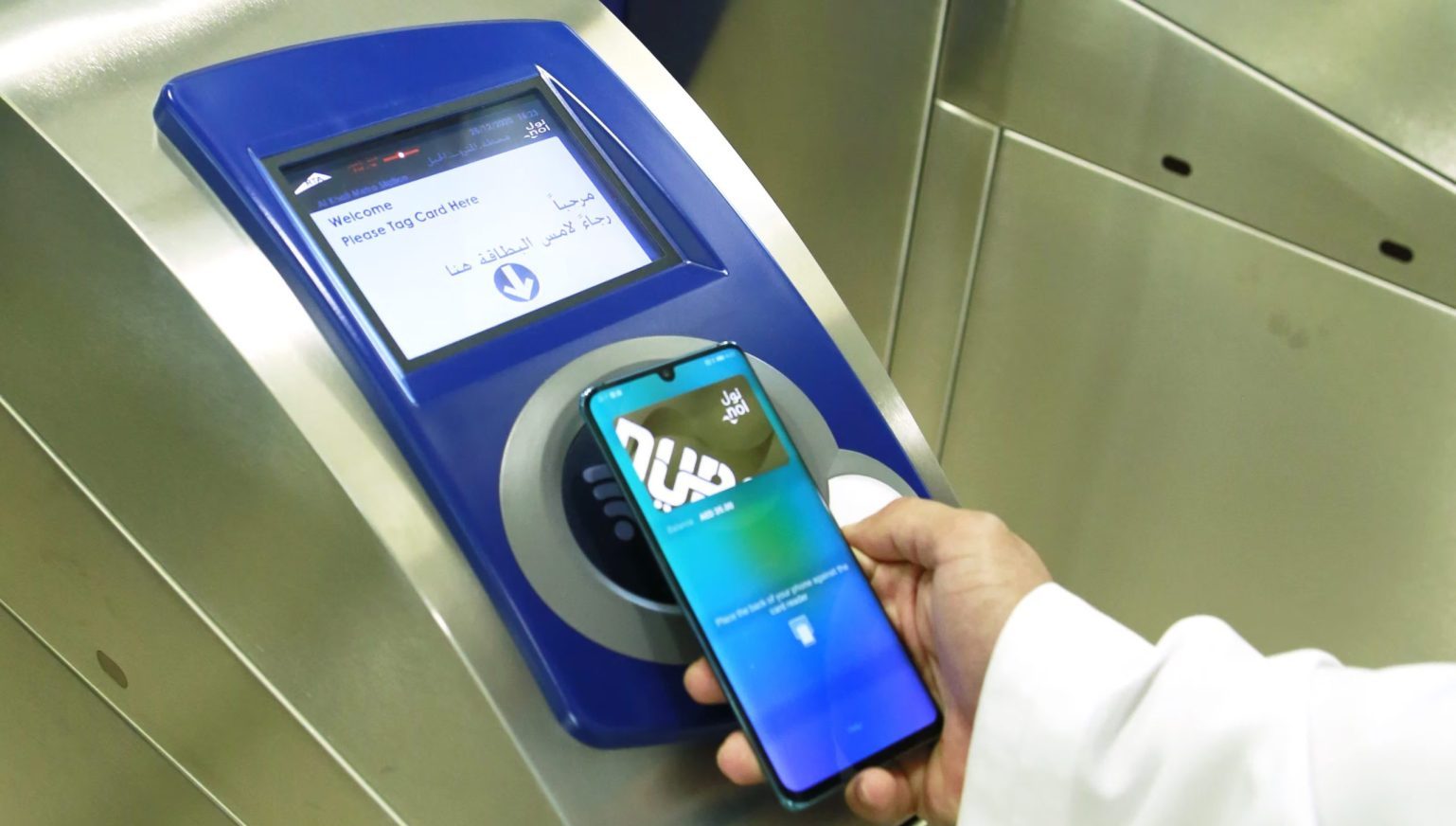
Get Your Digital nol Card in Dubai!
Want to use your phone for Dubai’s public transport? You can! Just turn your regular nol Card into a Dubai digital nol Card. This handy feature works mainly on Samsung and Huawei phones. Sadly, iPhones don’t support a digital nol Card in Apple Wallet yet.
What You Need First
Before you start, make sure you have a few things ready. First, grab your Samsung or Huawei phone. It needs to have NFC (Near Field Communication) turned on. Second, find your physical Silver or Gold nol Card. Red and Blue nol cards cannot be digitized. Next, download the “nol Pay” app. You can find it in the Google Play Store or Huawei App Gallery. Lastly, linking to your UAE Pass helps make things easier, but it’s optional.
How to Digitize Your nol Card
It’s simple to get your digital nol Card. First, open the nol Pay app on your phone. Then, tap on “Get my nol card.” Choose “Digitise Physical nol Card.” The app will remind you only Silver or Gold cards work. Just tap “Next.”
Stay up to date with the latest news. Follow MET on Instagram.
Now, here’s the clever part. Place your physical nol Card on the back of your phone. Keep it still! Your phone will read the card’s details. It will also transfer your balance and any travel passes. The app will confirm when it’s done. It will also tell you your physical card will stop working. Tap “Continue” to activate your new digital nol Card. The app will download your digital nol Card. This may take a few minutes. You’ll get a notification when it’s ready.
Using Your Digital nol Card
Using your new digital nol Card is very easy. When you’re at a Metro station or bus stop, open the nol Pay app. Then, simply tap your phone on the card reader. Make sure NFC is on! Your digital nol Card will work just like a physical one.
Important Things to Remember
Once you digitize your nol Card, your old physical card is useless. You can no longer use it. The nol Pay app also lets you add money to your digital nol Card. You can even get new cards through the app. You can also register anonymous cards. Plus, link your cards to your RTA account. If your card is lost or broken, you can report it too. There might be a small fee to link your card to your Emirates ID. However, digitizing the card itself is usually free. Always check the app or RTA for the newest information.
Also Read:
Microsoft CEO Satya Nadella: 20% to 30% AI Writes Our Code Now
World’s Highest-Paid CFO: Tesla’s Big Spender